MR. I THE SCIENCE GUY - Find out things you need for Mr. I's Science Class

You will find all you need for your science class here. Use the Tags link to find the posting that are relevant to your class only.

SCIENCE 8 ROCKS! - Find Resources for your class here

We learn about cells, body systems, matter and mixture this year

SCIENCE 7 RULES! - Find Resources for your class here

Post your work for all to see here if you like. Use this website to showcase to your friends and family what you can do.

OPTION DAYS - Participate in Exciting multi-day activities

Activities like hiking, camping, backpacking, canoeing and climbing are typical offerings that I provide during option days. See what's coming this year!

ABOUT ME

Learn a little more about your Teacher Mr. I the Science Guy! Find out about my hobbies and interests

Sunday, February 7, 2016

Brick Animation 07: Dialogue and Conversation

Today we are: Learning how to do a conversation.
I will: create a scene where two LEGO figures talk.
I can: select a camera angle to use
I can: alternate shot views to match the conversation.
I can: share the completed project with Mr. Iwaasa


Today we are learning how to use dialogue to extend our filming and build interest in our story.

While this is not Brick Animation it highlights some key ideas.


Watch this clip and watch how simple the filming is for the conversation between the robot and the main character.


Remember that you can use different camera angles to create interest and excitement.


1.  Pick simple scene to shoot
2.  film a dialogue between two characters.
3.  Shoot your scene,using at least 2 angles.
4.  Add effects and voices.
5.  Upload your movie so Mr. I can share your work.
6.  Good Luck!

PROJECT: 20 - 30 seconds of filming with at least 2 angles used.

Thursday, February 4, 2016

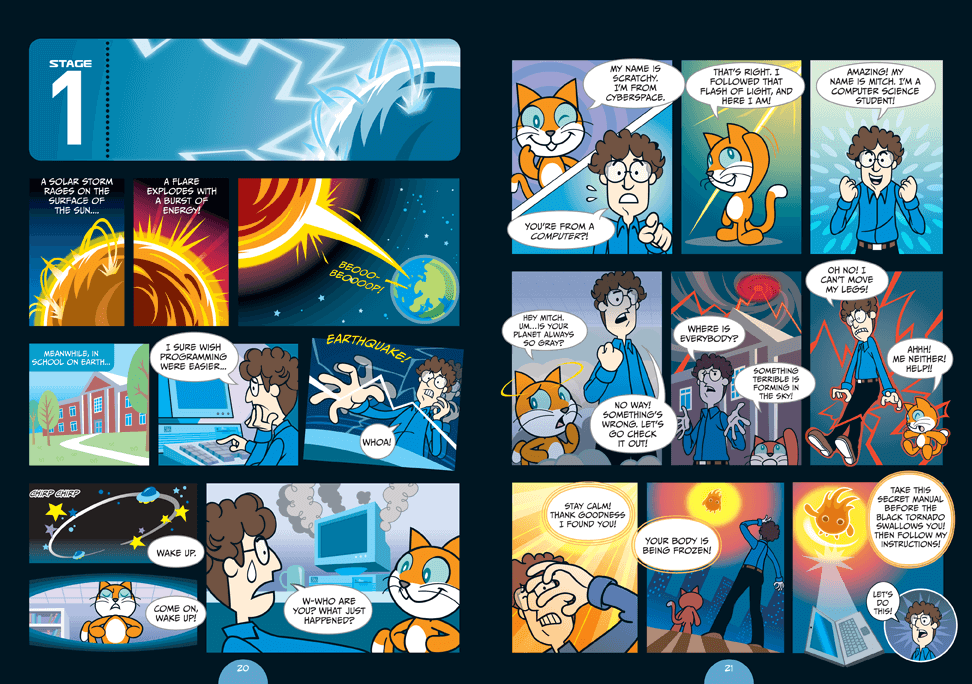
Coding Stage 2: Super Scratch Programming Adventure!


Log back in to your account here.


You will need a file to complete stage 2.  You can find it here.


When done, complete this survey


or

This survey if you are doing an alternative project.


Wednesday, February 3, 2016

Coding Stage 1: Super Scratch Programming Adventure!

Scratch is the wildly popular ­educational programming language used by ­millions of first-time learners in classrooms and homes worldwide. By dragging ­together colorful blocks of code, You can learn computer programming concepts and make cool games and animations. 

The latest version, Scratch 2, brings the language right into your web browser, with no need to download software.

Please create an account at scratch here.


Have a look around and see what you can do.

READY?!?!

Let's begin.  Start with Stage 1


Now that you are done.  Complete this survey

Wednesday, January 20, 2016

Brick Animation 05: Ease in and Ease out

Today we are: learning how create smooth actions
I will: learn how use ease in and ease out
I can: using varying motion to create smooth actions


We now want to look at how to improve your animation.  This is the ideas of easing in and easing out.

1.  Ease in/Ease out is the process of varying the amount of motion.  Watch this video below to get a better understanding.


Here is a sample of a punch


2.  Now try to create something similar.  Bring your SD card when done so we can download your images to make a video.

PROJECT: 10 - 15 seconds of filming demonstrating ease in/ease out.

Wednesday, January 6, 2016

Brick Animation 03: Camera Tips & Tricks

Today we are: learning camera tricks to improve filming
I will: learn how to make adjustments to my filming to improve the final product
I can: stabilize the camera
I can: use techniques to pan or zoom in.
I can: apply the rule of thirds to my filming.


Good camera work is important.  Here are some pointers to improve your filming.

1.  Now let's try it ourselves.  Try to film a sequence of walking or running and upload it to youtube.

2.  Lastly, if you have time later, you can watch this film.  It's a good intro to the whole idea of Brick Films.


PROJECT: This is still your first upload.  It doesn't matter how long or what you are filming.

Brick Animation 02:Uploading

Today we are: learning how upload our work to Youtube
I will: learn how to upload our work to Youtube
I can: use the stirlinglego login and add our videos to the channel


One of the first things we need to do is upload to youtube so we can look at our work and share it.

1.  Complete your first project and save it to you camera roll.

2.  Go into photos


3.  Find your video and click on it.


4. Click the upload button in the top right.


5.  Add a description and title.  Include your group name in the title.  Eg.  TDK: project 1.


6.  Upload using the Stirling LEGO login and password.


Monday, January 4, 2016

Math 10C: Week 16 - Catch Up and Review

This week we are: Catching up on the Last Unit and then Reviewing for the Final Exam

I will: solve for linear systems using graphical analysis
I willsolve for linear systems using the substitution method
I willsolve for linear systems using the elimination method
I willdefine linear systems as solvable, unsolvable and infinite solutions
I willdetermine which method works best for me.

I can: graph 2 linear equations and find the point of intercept
I can: substitute and equation for x or y and solve for the other unknown
I can: eliminate a variable by multiplying an equation or two equations by a common factor
I can: determine how many solutions exist when looking at two linear equations, either by assessing the existing equation or by modifying it.

Monday

1.  For any student who didn't finish up before Christmas, we are reviewing unit 6 and writing our test on Wednesday

Tuesday

1.  For any student who didn't finish up before Christmas, we are reviewing unit 6 and writing our test on Wednesday


Wednesday

1.  Unit 6 Exam, round 2

Thursday
1.  Handout final course summary.  
2.  Review Unit 1 Metric/Imperial Conversions


Friday

1.  Review Unit 1 Surface Area and Volume Calculations.